ReStow Application – Directed Workflow UX
Designing intelligent workflows to optimize pallet and case replenishment
The Problem
How do you create an efficient and error-minimizing UX for warehouse associates managing perishable goods in dynamic conditions?
Project Overview
ReStow was designed to streamline inventory replenishment at GSF distribution centers by guiding associates through the
process of moving pallets from overhead “air slots” to ground-level storage. Since food products were involved,
strict operational rules and error prevention were critical.
When I joined the project, the app had been conceptually outlined, but a clear user workflow did not yet exist. There were no designs
for the "pick info dependencies" — the dynamic, rule-driven data needed to guide associates (e.g. location, item ID, temperature,
expiration, t-stow priority).
My First Step - Understand the Business Rules
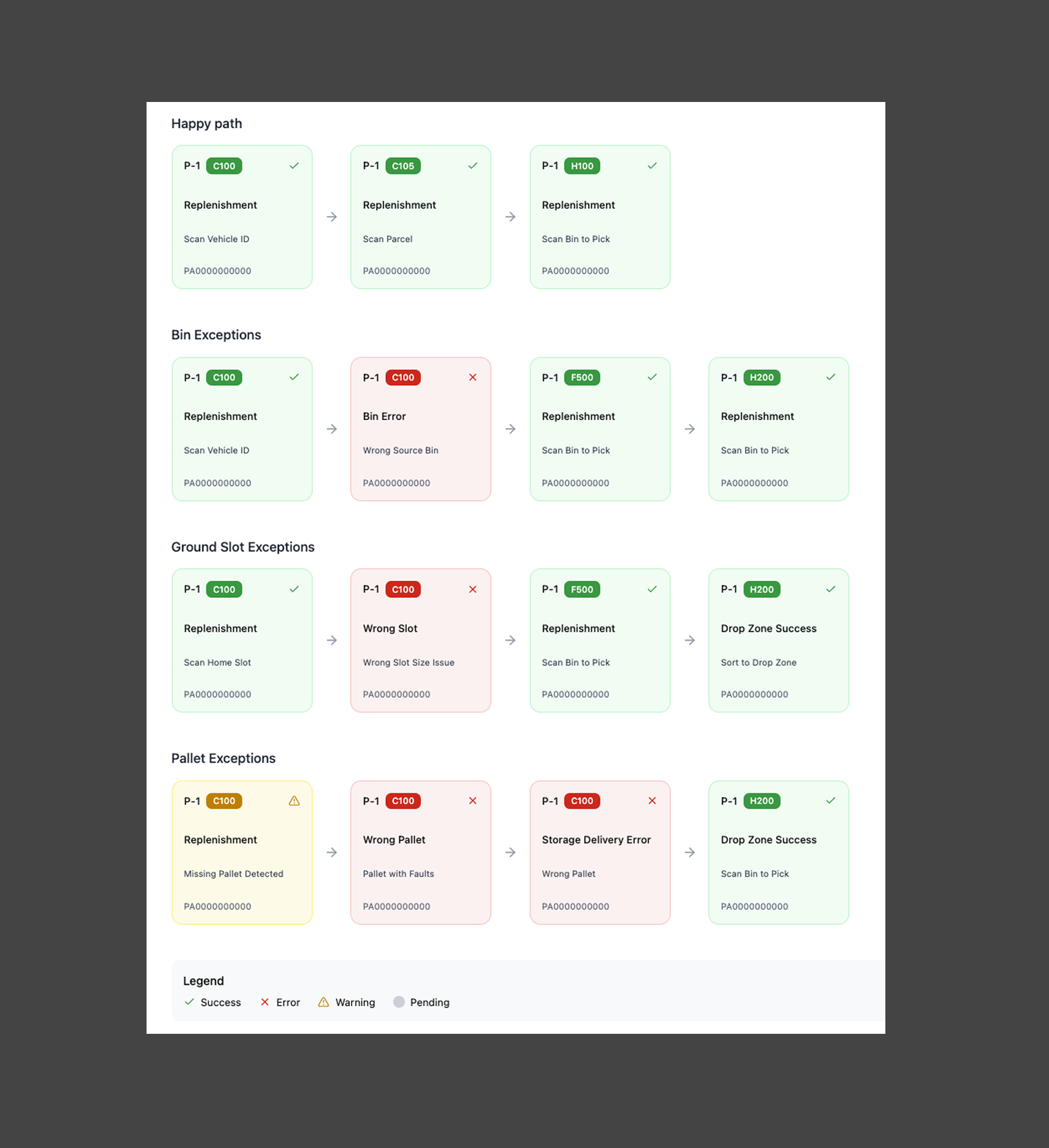
I reviewed stakeholder documentation to understand the replenishment “happy path” and uncovered inconsistencies in process language. I translated these rules into intuitive UX concepts, helping new users and stakeholders align around a clearer process.
Step 2 - Redefine the Workflow
I mapped the full Pallet Replenishment workflow, eliminating redundant steps and aligning stakeholders around a unified source of truth. I used visuals—icons, tooltips, and sequencing—to create a smoother, more comprehensible user journey.
Step 3 - Design With Familiarity + Innovation
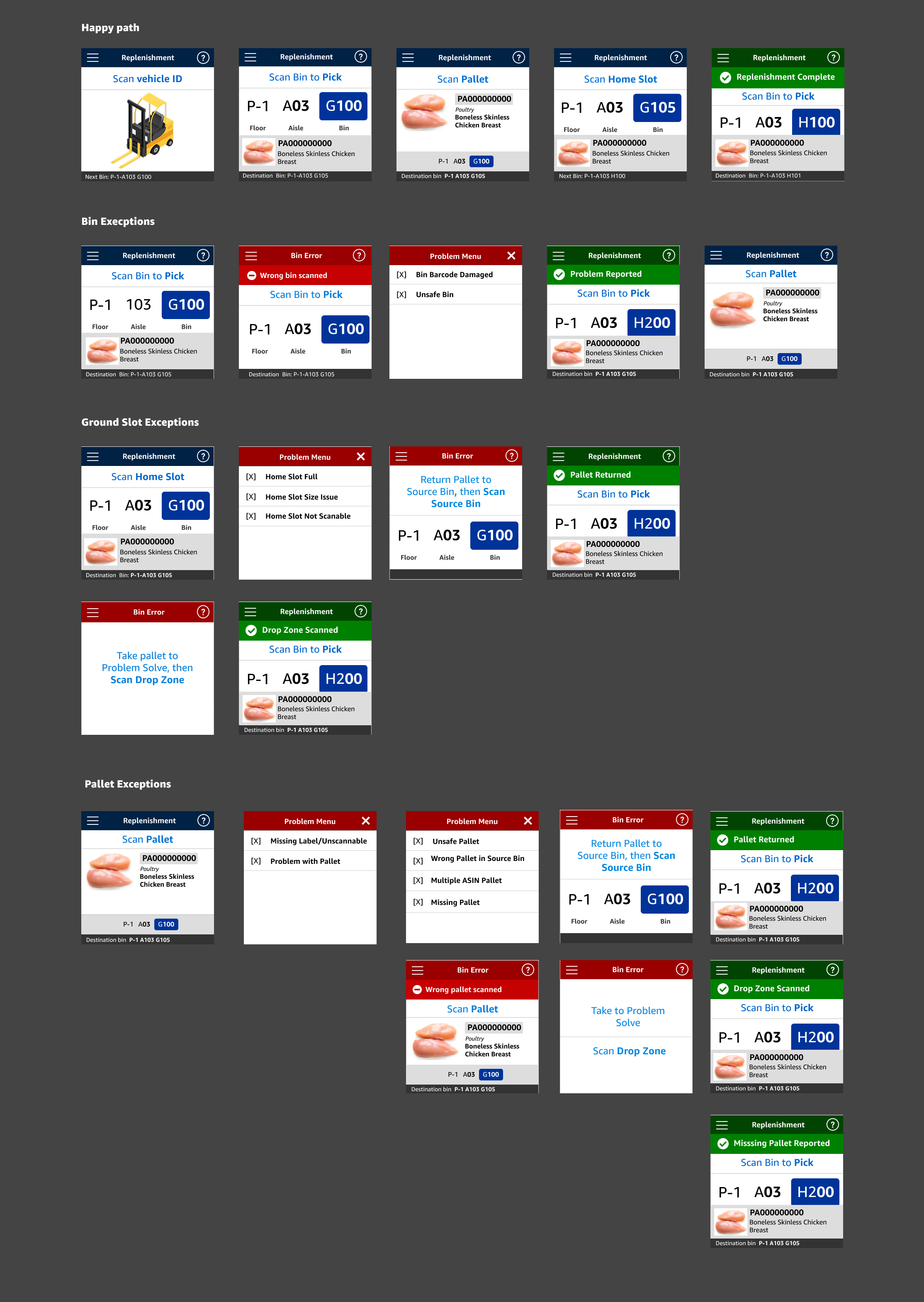
Collaborating across product teams, I incorporated familiar TaskUI and 3PE patterns to ensure a seamless learning curve. I also introduced new components, like a case count confirmation step and dynamic visual cues, to solve ReStow-specific challenges.
Step 4 - Test and Iterate with Ops Specialists
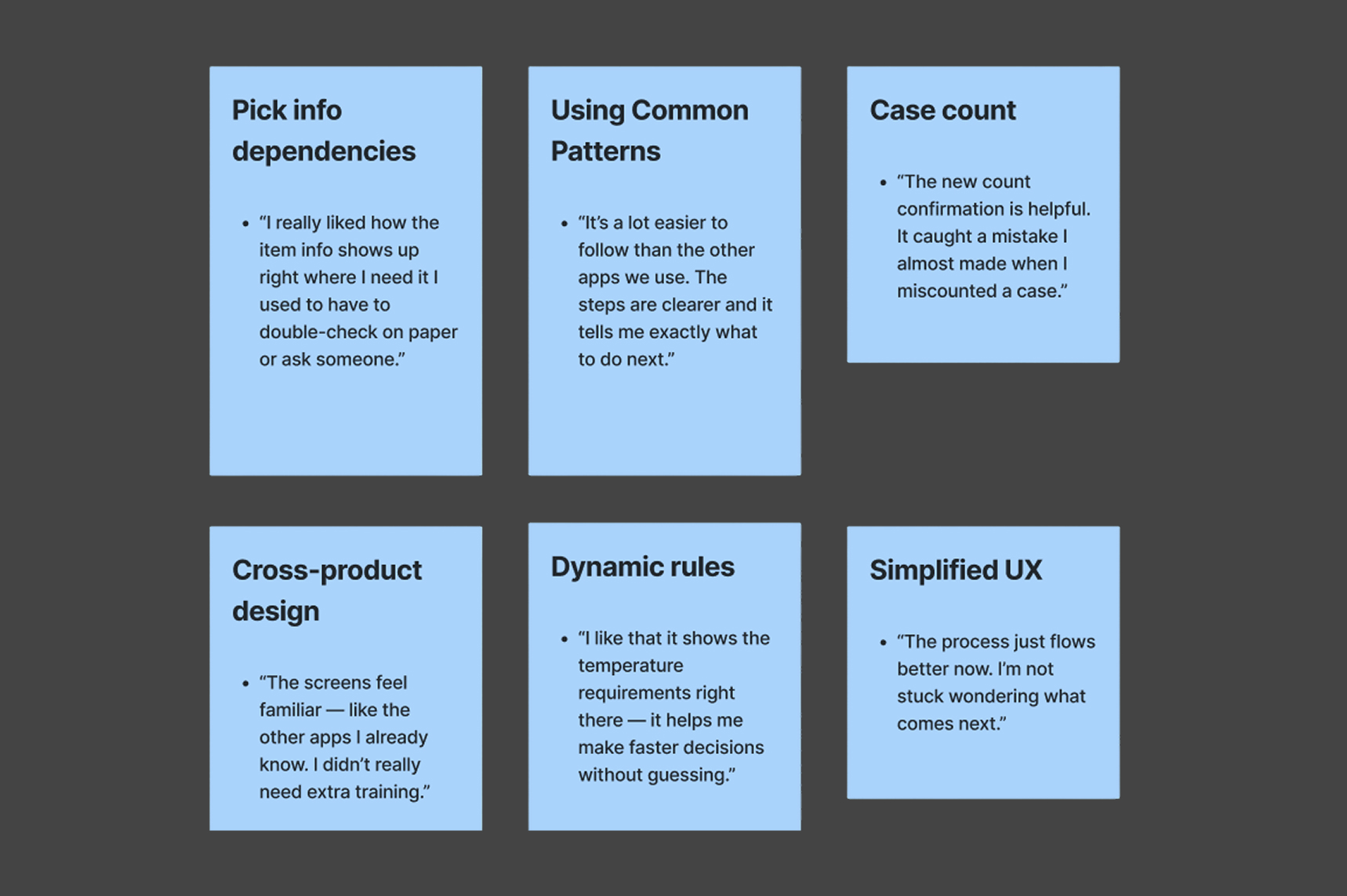
I shared early prototypes with five ops specialists and watched how they used the flow. Their feedback helped me spot areas where things felt unclear or too manual like case count entry. Based on what I learned, I simplified screens, added helpful confirmations, and made sure the experience felt familiar to what they already used. Their input directly shaped how the final design came together.
Outcome & Impact
The final ReStow design delivered a clear, intuitive workflow that aligned with real-world associate needs and strict operational rules. The prototypes were demoed for L8 stakeholders and passed through multiple rounds of user acceptance testing (UAT) with minimal revisions, an indicator of how well the design addressed user pain points upfront. Feedback from fulfillment center specialists confirmed that the UI felt familiar, reduced guesswork, and made it easier to follow critical steps like temperature handling and case count validation. The result was a scalable, reliable UX foundation that supports both current and future replenishment workflows.
What I Learned
- Clarity and speed matter most — Designing for warehouse environments means prioritizing error prevention and ease of use over visual flair.
- Use proven patterns — Leveraging TaskUI and 3PE made the interface feel familiar and intuitive for associates.
- User collaboration is everything — Regular feedback from ops specialists surfaced issues early and shaped a more trusted product.
- Small UX details have big impact — Confirmation steps and dynamic rule cues helped reduce mistakes and boosted user confidence.